
Get Started Guide
Our step-by-step video guide shows you how to set up your Push Property Account.
If you need more help book an onboarding call
Create your account
No credit card required
To get started and claim your 1-month free trial you will need to sign up for a free trial, to do that simply click the 1-month free trial button and complete the New Account Form.


Step 1 - Connect your property feed
Imports your branches & properties
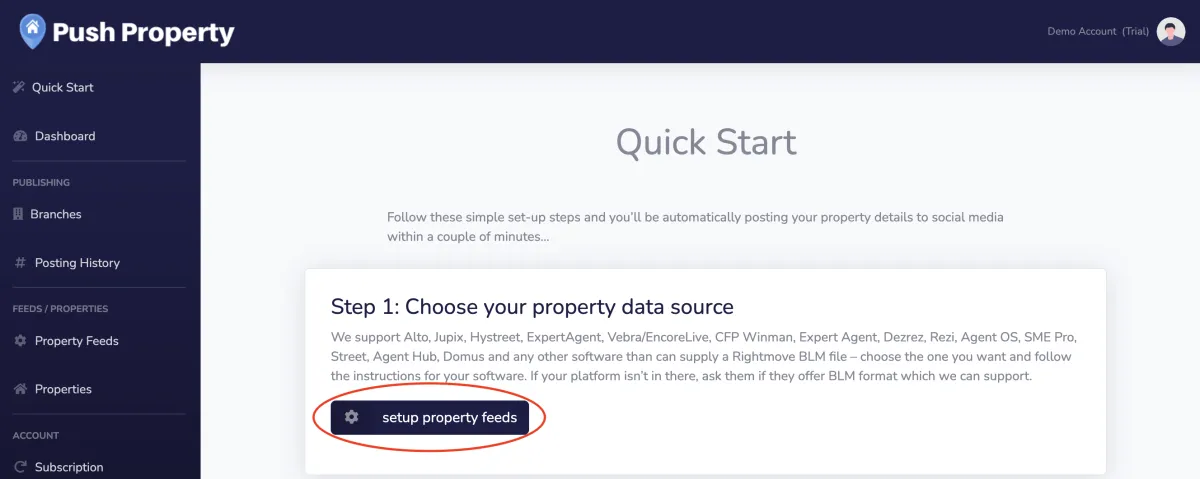
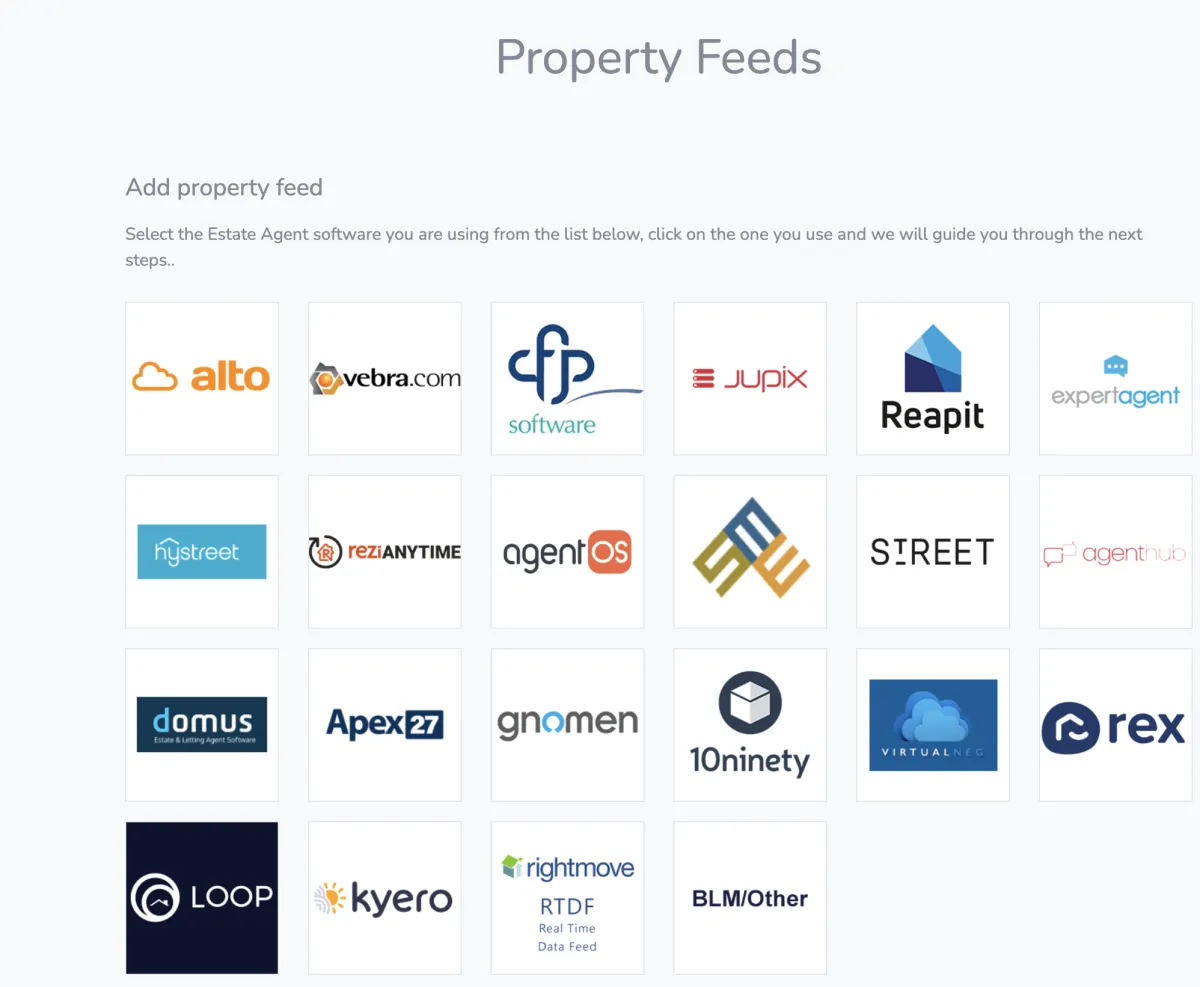
To do this just click property feed > find your CRM > complete the information needed to allow us to pull your property details.
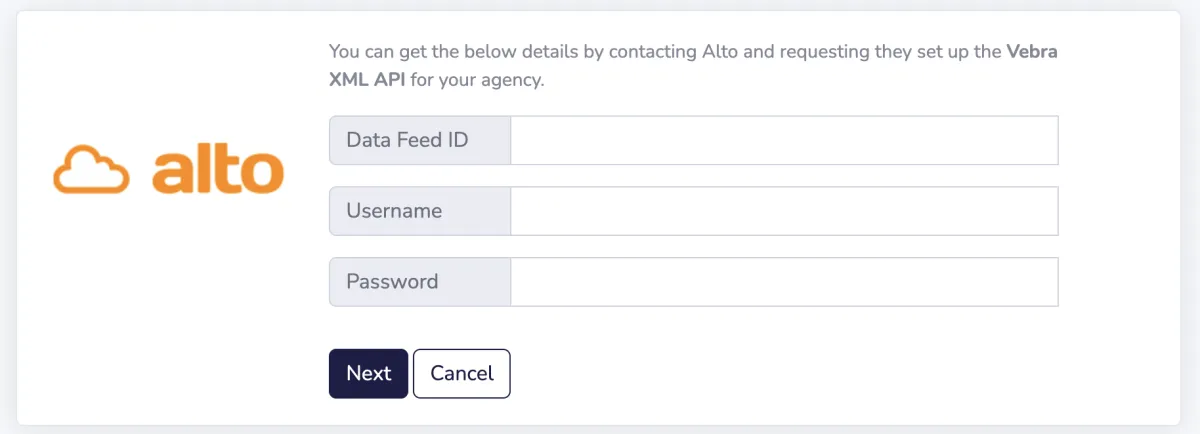
If you don't know your credentials you will need to contact your provider and ask them for the information to complete the form. Some CRM providers will ask you to sign up for an additional feed, this will depend on who you are using.
If you don't see your provider listed and would like to use Push Property we can normally integrate with them so contact us and we will help you get this set-up.
Once you have connected your property feed you will see that your branches are created and all your properties will be available to post.
Click set up property feeds
Select your property feed from the list
Enter your credentials
Step 2 - Check & update your branch details
When you connect your CRM we will pull in all your properties and create all of your branches. The details we hold will be based on the information your CRM provider sends. It is important that this branch information is current and up to date.
Simply click branches in the left hand menu
Check the details for each branch making sure your branch name, address and contact details are up to date
Make sure you have an upto date logo added to each branch
Repeat this for all your branches
Enter your credentials
Summary of Key Steps
- Sign-up for your account using this link
- Connect your agency CRM - we support all of the major CRM providers
- Connect your social media profiles
- Create your templates & posting rules
Need more help?
Book an onboarding call
Our team will guide you through your set-up and you will be live in no time